Rolol Code: The Ultimate Browser-Based HTML, CSS, & JavaScript Live Code Editor
In today’s fast-paced web development ecosystem, the demand for lightweight, instant, and accessible coding tools has never been higher. Whether you are a frontend developer prototyping a rapid component, a blogger demonstrating interactive code snippets, or an educator teaching the fundamentals of modern web development, traditional desktop IDEs can sometimes feel overly complex for quick iterations.
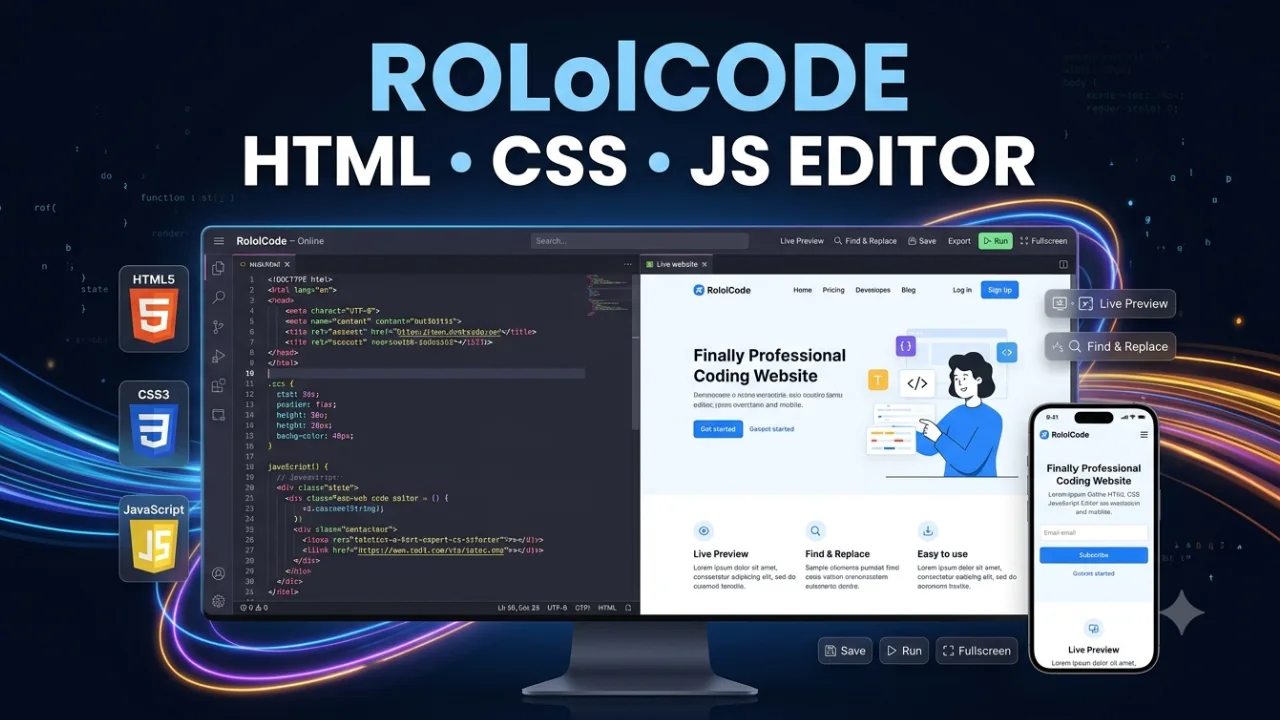
Enter Rolol Code—a feature-rich, browser-based live code editor designed to combine the raw power of a full-fledged IDE with the portability of an embeddable web widget. Equipped with a Dracula dark theme, native VS Code-style Find & Replace, a debounced live preview engine, localStorage auto-saving, and a fully responsive mobile workspace, Rolol Code redefines how developers interact with HTML, CSS, and JavaScript directly inside the browser.
In this exhaustive guide, we will explore what makes Rolol Code stand out, unpack its core architecture and advanced features, walk through a step-by-step usage guide, and compare it against legacy platforms like CodePen and JSFiddle.
What is Rolol Code?
Rolol Code is a client-side, zero-latency web editor that allows users to write, edit, test, and export HTML5, CSS3, and modern JavaScript in real time. Built on top of the industry-standard CodeMirror engine, Rolol Code transforms any standard webpage or WordPress post into an interactive development sandbox.
Unlike traditional online sandboxes that rely on server-side rendering or heavy cloud containerization, Rolol Code runs 100% within the client browser. This client-first architecture guarantees zero backend latency, total privacy for your source code, and lightning-fast execution regardless of server load.
[ HTML Editor ]   \
[ CSS Editor  ]  ---> [ Rolol Code Engine ] ---> [ Instant Live IFrame Preview ]
[ JS Editor   ]   /
Key Architectural Highlights
- Zero Server Dependency: Operates entirely via native browser APIs and client-side JavaScript libraries.
- Isolated Execution: Code is rendered safely within an isolated
<iframe>environment with secure sandbox policies (allow-scripts,allow-modals,allow-forms). - High-Performance Editor Engine: Leverages CodeMirror 5 with active line highlighting, automatic tag closing, auto-bracket completion, and syntax highlighting.
- Universal Embeddability: Encapsulated within strict CSS scoping rules to prevent style leaking when embedded into WordPress, Ghost, Drupal, or custom web portals.
Core Features That Make Rolol Code Extraordinary
Rolol Code is not just another basic textarea sandbox. It has been meticulously crafted to match the user experience of desktop tools like Visual Studio Code while maintaining an ultra-lightweight footprint.
1. VS Code-Style Find & Replace Widget
Finding and replacing code in web editors is often frustrating. Most online sandboxes offer crude search utilities or rely on basic browser search commands (Ctrl+F), which fail inside custom code editors.
Rolol Code solves this by integrating a floating, VS Code-inspired Find & Replace Widget:
+-------------------------------------------------------------------------+
| [> ]  [ Find input field          ] [ 1 of 12 ]  [^]  [v]  [X]      |
+-------------------------------------------------------------------------+
|       [ Replace input field       ] [ Replace ]  [ Replace All ]        |
+-------------------------------------------------------------------------+
- Keyboard Shortcuts: Open search with
Ctrl + F(Cmd + Fon macOS) or launch Replace mode directly withCtrl + H(Cmd + Option + Fon macOS). - Live Match Counter: Real-time feedback displaying total match occurrences (e.g.,
1 of 14). - Match Navigation: Cycle through search results backward and forward using
Enter,Shift + Enter, or explicit arrow controls. - Instant Highlight Overlay: Matching string instances across the code editor canvas are visually highlighted using customizable overlay styling.
- Granular Replace Operations: Replace individual occurrences sequentially or execute global string replacements with Replace All.
2. Tabbed Code Workspace & Modular Layout
Rolol Code features a dual-panel workspace split dynamically between editor tabs and a live preview rendering canvas.
- Desktop Layout: A 50/50 split panel layout allowing developers to view code changes and live rendering side-by-side. Editors feature clean top tabs for switching between HTML, CSS, and JS.
- Mobile Layout: Automatic responsive adaptation. On mobile devices, the workspace switches to a bottom navigation bar featuring distinct touch-friendly tabs for HTML, CSS, JS, and a dedicated RUN preview view.
- Custom Color Branding: Distinct color badges for language tabs—Orange for HTML5, Blue for CSS3, Yellow for JavaScript ES6+, and Green for Live Preview.
3. Real-Time Auto-Compiling Preview Engine
Manual compilation button clicks disrupt workflow momentum. Rolol Code incorporates an intelligent debounced execution pipeline:
- Input Detection: Captures real-time keypresses across HTML, CSS, or JS panels.
- Debounce Delay: Waits 800 milliseconds after the user stops typing to prevent frame thrashing and CPU overutilization.
- DOM Reconstruction: Combines HTML markup, CSS styling blocks, and JavaScript execution scripts into a clean HTML document string.
- IFrame Injection: Injects the constructed document dynamically into the preview sandbox using
srcdoc. - Loader Indicator: Displays a subtle CSS spinner while rendering complex DOM elements or loading remote CDN assets.
4. LocalStorage Persistence & Local File Exporting
Losing uncompiled code due to accidental tab closures is a major pain point. Rolol Code provides dual data management capabilities:
- LocalStorage Saving: Clicking the Save button serializes the current state of HTML, CSS, and JS into JSON and stores it locally under a dedicated browser storage key (
maxout_wp_v2). When users refresh the browser, their work is restored automatically. - One-Click HTML Export: The Export button dynamically packages all written code—linking CSS into standard
<style>blocks and JavaScript into<script>tags—and triggers a native browser download for a self-containedindex.htmlfile.
5. Dracula Theme & Typography
Visual comfort during long coding sessions is essential. Rolol Code features the universally acclaimed Dracula Dark Theme:
CSS
Background:  #1e1e2e (Deep Dark Blue/Gray)
Gutter:      #181825 (Subtle Dark Neutral)
Selection:   #facc15 (Highlight Gold)
Typography:  'Fira Code', 'Inter', monospace
By combining clean ligature-ready monospace typography with high-contrast syntax highlighting, code remains readable and visually appealing even inside embedded blog posts.
6. Fullscreen Distraction-Free Modes
Whether you are presenting code on a projector screen or need to edit intricate stylesheets, screen real estate matters. Rolol Code offers two distinct full-screen toggle modes:
- App Fullscreen: Expands the entire editor wrapper to fill the viewport, hiding all external website headers, footers, and sidebars.
- Preview Fullscreen: Expands only the live preview pane, allowing you to review your final webpage design across full screen resolutions.
Feature Comparison Matrix: Rolol Code vs. Competitors
To understand why Rolol Code is a game-changer, let us examine how it performs against popular online code playgrounds:
| Feature / Capability | Rolol Code | CodePen | JSFiddle | JSBin |
| Client-Side Latency | Instant (0ms) | Low-Medium | Medium | Low |
| Embed Scoping | Isolated CSS | Requires IFrame | Requires IFrame | Requires IFrame |
| VS Code Find & Replace | Native Built-in | Limited | Basic | Basic |
| Mobile UX | Custom Bottom Nav | Responsive | Cluttered | Basic |
| Dracula Theme Out-of-the-Box | Yes | Pro Feature | No | No |
Local File Export (.html) | Instant Single-Click | Zip (Registration Required) | No Direct Download | Download Available |
| Privacy / Server Overhead | 100% Client-Side | Cloud Storage | Cloud Storage | Cloud Storage |
| Offline Functionality | Yes (via local assets) | No | No | No |
Use Cases: Who Should Use Rolol Code?
1. Web Development Bloggers & Tech Publishers
Publishing static code blocks inside tech tutorials often leaves readers guessing how the code behaves visually. By embedding Rolol Code directly into WordPress posts, Ghost blogs, or custom Webflow sites, content creators can give readers an interactive experience where they can tweak CSS parameters, run JavaScript functions, and see live results without leaving the article.
2. Frontend Engineers & Designers
When building isolated CSS animation components, custom button hover effects, or modular micro-interactions, opening a massive desktop IDE like VS Code or WebStorm can be overkill. Rolol Code serves as a rapid scratchpad to prototype components, test responsiveness, and export clean HTML files in seconds.
3. Educators, Bootcamp Instructors, & Tutors
Teaching web development requires immediate feedback loops. Instructors can use Rolol Code in full-screen presentation mode to write code live during lectures. Students can follow along on their mobile devices or laptops using the intuitive mobile interface.
Step-by-Step Guide: How to Integrate Rolol Code in WordPress
Integrating Rolol Code into a WordPress platform takes less than two minutes. Because all stylesheets and script tags are self-contained within a isolated wrapper (.maxout-wp-wrapper), it will not interfere with your active WordPress theme styles.
Step 1: Create a Custom HTML Block
In the Gutenberg block editor, click the + icon to add a new block and search for Custom HTML.
[ + Block Selector ] --> Search: "Custom HTML" --> Click to Insert
Step 2: Paste the Rolol Code Snippet
Copy the standard Rolol Code HTML markup, CSS stylesheet, and JavaScript execution block into the Custom HTML editor box.
Step 3: Publish & Test
Click Preview or Publish on your WordPress post. Rolol Code will initialize automatically, fetching required dependencies via fast Cloudflare CDNs (CodeMirror, FontAwesome, Fira Code font) and rendering the interactive IDE.
Deep Dive: Mastering Key Shortcuts in Rolol Code
Maximizing productivity in Rolol Code comes down to mastering built-in keyboard shortcuts. Here is a cheat sheet:
Search & Navigation Shortcuts
Ctrl + F(orCmd + F): Open the Find & Replace widget with search input focused.Ctrl + H(orCmd + Option + F): Open the Find & Replace widget with the Replace row visible.Enter(inside Find Input): Move focus to the Next matching result.Shift + Enter(inside Find Input): Move focus to the Previous matching result.Escape: Instantly close the Find & Replace widget and return keyboard focus to the editor canvas.
Code Editing Enhancements
- Auto-Closing Tags: Type
<div>and Rolol Code automatically inserts</div>, placing your cursor directly inside. - Auto-Brackets: Type
(,[, or{to auto-generate closing pairs. - Active Line Highlight: Highlights the current editing row with a dark contrast background line to improve visual focus.
Technical Performance & Optimization Highlights
Speed is critical for online editors. Rolol Code achieves peak efficiency through several frontend architecture techniques:
1. CSS Insulation via all: initial
CSS
.maxout-wp-wrapper {
    all: initial;
    font-family: 'Inter', sans-serif;
    display: flex;
    flex-direction: column;
    /* ... additional container rules ... */
}
By declaring all: initial on the main container root, Rolol Code resets global CSS rules inherited from surrounding blog themes, preventing typography leaks, unintended padding distortions, or line-height conflicts.
2. Efficient IFrame Sandbox Management
Instead of constantly creating and destroying <iframe> DOM nodes—which causes browser memory leaks—Rolol Code maintains a single, reusable <iframe> reference and updates its contents using the high-performance srcdoc property.
JavaScript
const previewDoc = `
    <!DOCTYPE html>
    <html>
    <head>
        <style>${css}</style>
    </head>
    <body>
        ${html}
        <script>${js}<\/script>
    </body>
    </html>
`;

iframe.srcdoc = previewDoc;
Best Practices for Writing Code in Rolol Code
To get the best performance when prototyping inside Rolol Code, consider the following development tips:
- Leverage External Libraries via CDN: Want to use Tailwind CSS, Bootstrap, FontAwesome, or GSAP? Simply import them inside the HTML panel using
<link>or<script>tags referencing cdnjs or unpkg.HTML<!-- Example: Importing FontAwesome inside HTML tab --> <link rel="stylesheet" href="https://cdnjs.cloudflare.com/ajax/libs/font-awesome/6.4.0/css/all.min.css"> - Utilize Local Storage Regularly: Before testing risky JavaScript logic or DOM manipulation scripts, hit the Save button or press the keyboard save action to save your baseline code state.
- Keep JS Code Clean and Modular: Wrap your JavaScript code inside Immediately Invoked Function Expressions (IIFE) or event listeners (
DOMContentLoaded) to prevent global variable pollution inside the preview frame.
Frequently Asked Questions (FAQs)
Is Rolol Code free to use?
Yes, Rolol Code is completely open and free to embed, customize, and use across personal or commercial websites without subscription costs or backend API keys.
Does Rolol Code require a database or backend server?
No. Rolol Code runs 100% on the client side using JavaScript and standard browser DOM APIs. Data persistence is managed locally via browser localStorage.
Can I embed Rolol Code into platforms other than WordPress?
Yes! Rolol Code works on any web platform that supports standard HTML/JS embeds, including Ghost, Blogger, Wix, Squarespace, Webflow, React apps, Vue applications, or static HTML pages.
Does Rolol Code support dark mode?
Rolol Code comes pre-configured with the dark Dracula Theme, featuring soft syntax contrast, dark midnight panels, and bright accent highlights designed for comfortable extended coding.
How does the Find & Replace feature differ from standard browser search?
Standard browser search (Ctrl+F) searches rendered text on the entire webpage and often fails to target code within CodeMirror text canvases. Rolol Code's VS Code-style Find & Replace searches directly within the active CodeMirror document structure, providing line/character precision, match highlighting, and instant replacement tools.
Why Rolol Code is the Future of Embedded Editors
Rolol Code bridges the gap between desktop IDE power and web portability. By combining essential developer features—such as VS Code search mechanics, live preview auto-compilation, Dracula dark theme styling, and responsive mobile navigation—into a single lightweight script, it delivers an unprecedented web coding experience.
Whether you are looking to supercharge your tech blog tutorials, prototype creative web components, or teach modern coding standards, Rolol Code stands out as the ultimate browser-based web editor. Give it a try today and transform the way you write and share code on the web!